
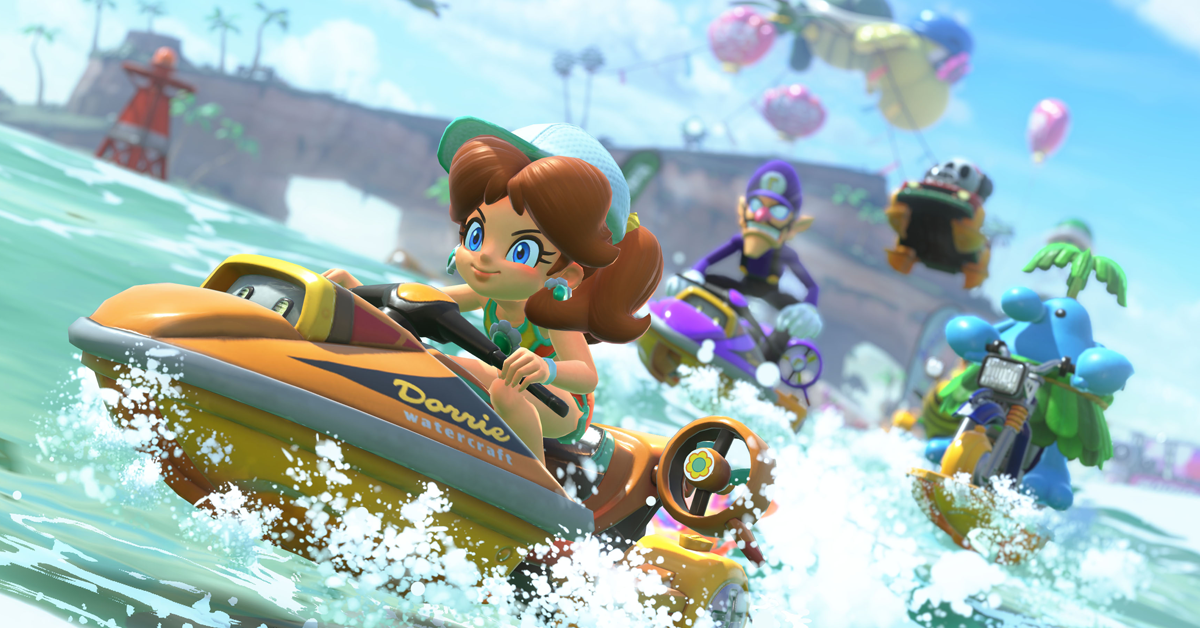
Mario Kart World is here, and there are some nice new features in the game for Mario and friends. Today I’m going to show you how to win more in Mario Kart World with tips and tricks like Charge Jumping, tricks, rail grinding, wall riding, rocket boosting, drifting and plenty more.
If you enjoy the video or find it useful then subscribe for more Mario Kart World content here on Power-up Direct.
Without any delay, let’s get into the tips and tricks for Mario Kart World.
Charge jump
How to Use the Charge Jump in Mario Kart World
The Charge Jump is a brand-new mechanic introduced in Mario Kart World, alongside rail grinding and wall riding. Together, these new features add fresh layers of strategy and depth to the classic Mario Kart formula. With a well-timed Charge Jump, players can leap onto walls to initiate wall rides, jump onto rails to grind, or dodge hazards and incoming items mid-race.
Despite its importance, the game offers little instruction on how to use Charge Jump outside of a brief note in the main menu’s handbook. This guide breaks down how to perform a Charge Jump and explains why mastering it can give you a serious advantage on the track.
What Is Charge Jump?
Charge Jump allows your character to briefly charge up before launching into the air—roughly a full kart’s height. This jump is high enough to avoid most ground-level obstacles and incoming items, including Shells.
It’s also the key to activating rail grinding and wall riding. By Charge Jumping into rails or walls, you can transition into these new movement options. If you keep an eye on your rearview (press Y), you can also use a well-timed jump to evade Shells, Star-powered opponents, and other threats.
How to Perform a Charge Jump
To execute a Charge Jump:
* Hold the drift button (R) without pressing any directional input.
* To make this easier, lift your thumb off the left stick entirely.
* If you’re moving at a decent speed, your character will crouch, and the kart will compress slightly.
* After about a second, a small glowing ring will appear around your character—this indicates the jump is fully charged.
* Release the R button to jump.
While airborne, you can slightly steer your character, but keep in mind that pressing left or right while still holding R will initiate a drift instead.
Tips for Using Charge Jump
* To grind rails, release the jump about three kart-lengths away from the rail to land cleanly onto it.
* To wall ride, leap toward the wall with a fully charged jump—your character will immediately start riding along it.
* Use Charge Jump to dodge threats like Shells, Piranha Plants, or Star-powered racers when escape routes are limited.
Tricks
Originally introduced in Mario Kart Wii, Tricks have become a core mechanic of the Mario Kart series. In Mario Kart World, Tricks return with a familiar input but a major gameplay twist: you can now perform multiple Tricks in a single jump—a first for the series.
How to Perform Tricks
* To perform a Trick in Mario Kart World, press R while your character is in mid-air.
* Do not hold the button—just tap R once per Trick.
* Your character will perform a stylish animation, and a glowing ring will briefly appear.
* Once the animation finishes, you can press R again to perform another Trick—as long as you’re still airborne.
By default, your kart will automatically perform a Trick when launching off ramps, hills, or anything that gives you vertical lift. This includes:
* Standard boost ramps
* Natural jumps or uneven terrain
* Colliding with a Toad in the open world (which launches you skyward)
* Using a Feather item, which sends your kart soaring
However, you cannot perform Tricks during low jumps or while executing a Charge Jump—only from height gained through the environment or certain items.
Directional Tricks
You can add flair by combining directional inputs with your Trick:
* Left or Right: Your character spins in that direction
* Up or Down: Your character does a flip
* No input: Your character performs a unique style animation
These Tricks don’t just look cool—they also provide a medium speed boost when you land. Since there’s no penalty for Trick spamming, feel free to show off your style in the air while gaining a performance edge.
Why Tricks Matter
Mastering Tricks in Mario Kart World can give you a serious speed advantage. Racers who know how to chain Tricks mid-jump can maintain higher momentum, dodge hazards with Feather-powered leaps, and outrun opponents who aren’t making full use of this mechanic.
Drifting
How to Drift in Mario Kart World
While Mario Kart World introduced several brand-new mechanics, it also brought back some essential racing techniques—most notably, drifting. A cornerstone of the series and racing games in general, drifting remains one of the most important skills to master if you want to consistently finish in first place.
What Is Drifting?
Drifting allows players to take sharp turns without sacrificing speed. It’s not only great for maintaining momentum through corners, but it also builds up mini-turbo boosts that give you a burst of speed after completing a drift.
How to Drift in Mario Kart World
To initiate a drift:
* Hold the acceleration button (A).
* Press and hold ZR, R, or SR on the Switch 2 while turning left or right.
* If you press one of these buttons while stationary or driving straight, your kart will simply hop. But when combined with a directional input, it initiates a drift.
Mastering the Mini-Turbo Boost
While drifting, you’ll notice colored sparks begin to appear near your kart’s tires. These indicate how much turbo you’re building:
* Blue sparks = Mini-Turbo (short drift)
* Orange sparks = Super Mini-Turbo (medium drift)
* Purple sparks = Ultra Mini-Turbo (long drift)
The longer and sharper your drift, the higher the level of boost you’ll build. Releasing the drift button at the right moment will trigger the boost and propel you forward—perfect for gaining ground on opponents or extending a lead.
Why Drifting Matters
In Mario Kart World, mastering drifting is crucial. It allows you to take tight turns without slowing down, chain boosts throughout the race, and maintain top speed in challenging courses. Players who skip this skill will quickly fall behind, especially in higher-speed classes or competitive play.
Smart Steering
Smart Steering is enabled by default. This feature assists players by automatically guiding their kart around corners and away from obstacles. It’s especially helpful for younger players or those new to racing games, as it makes the fast-paced and chaotic gameplay easier to manage—particularly on tricky tracks like Rainbow Road, where falling off is a constant threat.
Who Benefits from Smart Steering?
Smart Steering is ideal for:
* New players still learning the controls
* Young gamers who may struggle with precise steering
* Casual multiplayer matches to keep things fun and competitive
While helpful for beginners, experienced players often find Smart Steering restrictive. It can interfere with advanced techniques like drifting, which are essential for gaining turbo boosts and maintaining top speed. Competitive players aiming for first place may prefer to disable it to unlock the game’s full potential.
How to Tell If Smart Steering Is Active
When Smart Steering is on, an antenna on the back of your kart will flash yellow as it automatically adjusts your movement. This visual cue makes it easy to know whether the feature is currently helping you steer.
How to Turn Off Smart Steering
To disable Smart Steering:
* Press the + button on your Nintendo Switch 2 to open the pause menu.
* Press X to access the controls/settings menu.
* At the top of the screen, toggle Smart Steering on or off.
You can change this setting at any time, even during a race or while exploring the open world. However, keep in mind. In online races, the game won’t pause while you adjust settings, so switching Smart Steering mid-race could cost you valuable time—unless you’re fast or have a big lead.
Rocket Start
How to Get a Rocket Start in Mario Kart World
Just like in previous entries, Mario Kart World features the Rocket Start—a speed boost you can activate at the very beginning of a race with precise timing. It’s a simple trick that can give you an early lead, but it requires practice to master.
What Is a Rocket Start?
A Rocket Start is a turbo boost that launches your kart forward the moment the race begins. It’s triggered by a correctly timed press of the A button during the starting countdown.
How to Perform a Rocket Start
Watch the countdown carefully at the start of the race:
* When the countdown reaches “2”, press and hold the A button.
* If your timing is right, you’ll blast off with a speed boost when the race starts.
What Happens If You Mistime It?
Too early: Your engine will stall briefly, and you’ll lose valuable momentum.
Too late: You’ll simply start without the boost.
Alternative Timing Trick
If you struggle with hitting “2” exactly, try this method:
Briefly press A as each number appears (3, 2, 1), then release and press again at “2” to lock in the correct timing.
With a bit of practice, you’ll learn the rhythm and consistently start ahead of the pack.
Coins
Why Coins Matter in Mario Kart World
Coins play a bigger role in Mario Kart World than many players realize—and collecting them can make a real difference in your race performance. Scattered across every track, Gold Coins provide a consistent and subtle speed advantage, making them a key part of competitive play.
What Do Coins Do?
Increase Your Kart’s Top Speed: The more coins you have, the faster your kart can go—giving you a slight edge over opponents who ignore them.
Maximum Limit: You can collect up to 20 Gold Coins in Mario Kart World, doubling the limit from previous games, which capped at 10.
Common but Crucial: Coins are found all over each track, so it’s worth grabbing them whenever you can.
When You Lose Coins
Just like in past games, coins aren’t always safe:
Getting hit by items or obstacles will cause you to drop coins.
Falling off the track will also reduce your coin count.
Losing coins slows your top speed, so it’s important to keep your count high throughout the race.
Bonus Tip: Coins May Unlock Rewards
Mario Kart World tracks the total number of coins collected across your entire game, not just in individual races. While not confirmed, it’s very likely this total contributes to unlocking new karts or customization options, as seen in previous titles.
Slipstream
Sometimes you get caught behind players and it’s tough to get by. However, if you position yourself right behind them for a few seconds, you’ll get in their splistream and boost past them. You’ll see a little wind animation and also hear a custom sound to let you know you have done it correctly.
Send Items Backward
How to Throw Items Forward and Backward in Mario Kart World
In Mario Kart World, players have more control than ever over how they use items—many of which can now be thrown forward or backward, regardless of their default direction.
Throwing Items Backward
Items like Shells or Fire Flowers are normally fired forward, but you can launch them behind you with a simple input:
* Tilt the left stick down
* Press the L button to use the item
Your character will quickly turn and throw the item backward—perfect for hitting racers tailing you or blocking incoming attacks.
Throwing Items Forward
Items like Bananas or Bob-ombs, which are usually dropped behind your kart, can also be launched ahead:
* Tilt the left stick up
* Press the L button to throw it forward
This technique is great for catching opponents off guard, especially when aiming a Banana or bomb at a tight corner or crowded path.
Mastering directional item throws adds a strategic edge to your races—use them wisely to defend your lead or sabotage your rivals!
That’s it for the Mario Kart World tips. Let me know in the comments if you have any more Mario Kart World tips and tricks.
Leave a Reply